简单的总结下AJAX的几个方法
之前只会使用$.Ajax()这个方法,但需要填的参数有点多。
今天花时间去学习了下Jquery中Ajax的一些其他的方法。
今天学习感觉收获挺大的。
以前都是通过ajax在一般处理程序的后台把前台界面的代码拼接好,然后通过回掉函数传给前台。
现在可以 用过JSON返回数据给前台,然后再 拼接html,在程序效率上肯定是比之前强很多的。
下面就来总结一下今天学习的吧:
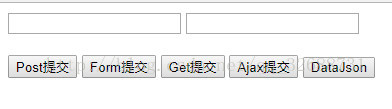
一、post提交
url:发送请求地址。
data:待发送 Key/value 参数。
callback:发送成功时回调函数。
type:返回内容格式,xml, html, script, json, text, _default。
1
2
3
4
5
6
7
8
9
10
11
| $("#btnPost").click(function () {
$.post("AjaxDemo.ashx",
{
"Action": "Post",
"UserName": "zhangsan",
"UserPwd": "123456"
},
function (data) {
alert(data);
}, "text")
});
|
二、get提交
其实和post在 写法和参数上并没有什么 不同的
1
2
3
4
5
6
7
8
9
10
11
| $("#btnGet").click(function () {
$.get("AjaxDemo.ashx",
{
"Action": "Get",
"UserName": "zhangsan",
"UserPwd": "123456"
},
function (data) {
alert(data);
}, "text")
});
|
三、ajax提交
1
2
3
4
5
6
7
8
9
10
11
12
13
14
15
16
17
18
| $.ajax({
url: 'MyHandler/HdProSet.ashx',
contentType: 'post',
data: {
action: 'SelProAndSchool',
ProID: ProID,
ProName: ProName,
},
success: function (msg) {
$("#mytbody").empty();
$("#mytbody").append(msg);
del();
UpaProID();
},
error: function () {
alert("出错了!")
}
});
|
/***重点来了*****/
1
2
3
4
5
6
7
| $("#btnForm").click(function () {
var form = $("#form1").serializeArray();
$.post("AjaxDemo.ashx", form,
function (data) {
alert(data);
}, "text")
});
|
五、返回一个json数据集
1
2
3
4
5
6
7
8
9
10
11
12
| /*-----------------------------------------------------*/
$("#btnJson").click(function () {
$.post("AjaxDemo.ashx", { "Action": "Json" },
function (JsonData) {
var length = JsonData.length;
for (var i = 0; i < length; i++) {
alert(JsonData[i].SchoolID + "+" +
JsonData[i].SchoolName + "+" +
JsonData[i].Remarks);
}
}, "json")
});
|
六、将TableData转成JSON
引用:
1
2
3
| using System.Collections;
using System.Collections.Generic;
using System.Web.Script.Serialization;
|
1
2
3
4
5
6
7
8
9
10
11
12
13
14
15
16
17
18
19
20
21
| // <summary>
/// 将datatable转换为json
/// </summary>
/// <param name="dtb">Dt</param>
/// <returns>JSON字符串</returns>
public static string Dtb2Json(DataTable dtb)
{
JavaScriptSerializer jss = new JavaScriptSerializer();
ArrayList dic = new ArrayList();
foreach (DataRow dr in dtb.Rows)
{
Dictionary<string, object> drow = new Dictionary<string, object>();
foreach (DataColumn dc in dtb.Columns)
{
drow.Add(dc.ColumnName, dr[dc.ColumnName]);
}
dic.Add(drow);
}
//序列化
return jss.Serialize(dic);
}
|
差不多这些了,后续再补充,睡觉!